

Setup & usage guide
Git Listener is available for any Jira Cloud installation. Sign in to your Jira account, open the Git Listener for Jira page on the Atlassian Marketplace, and click Install.
After installation you'll be prompted to configure Git Listener. You can also reach the configuration page at any time from your organization's app management page — open Connected apps, find Git Listener, and choose Configure.
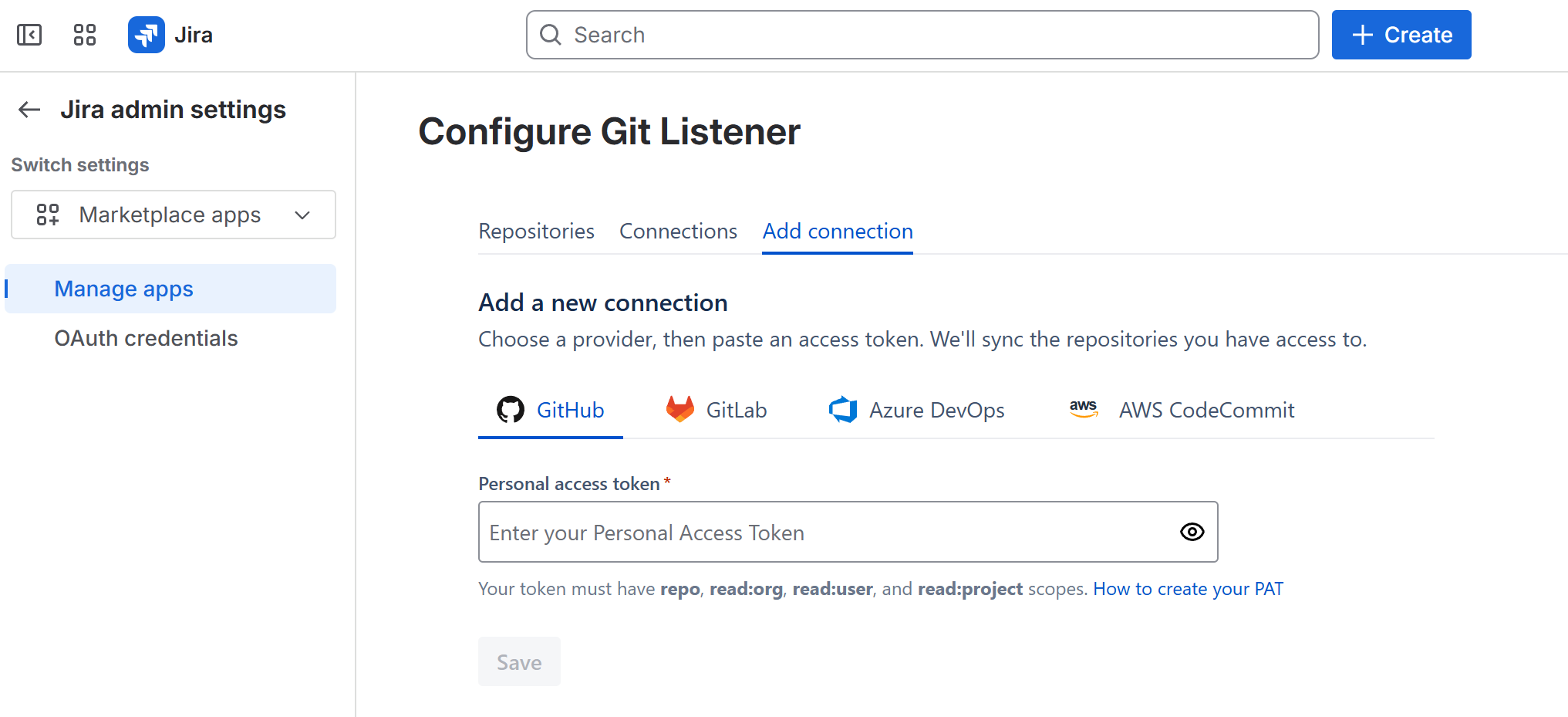
Choose a provider, then add a connection. You can connect GitHub, GitLab, Azure DevOps and AWS CodeCommit — as many as you need — using a personal access token. Follow the on-screen instructions for each provider to link your account.
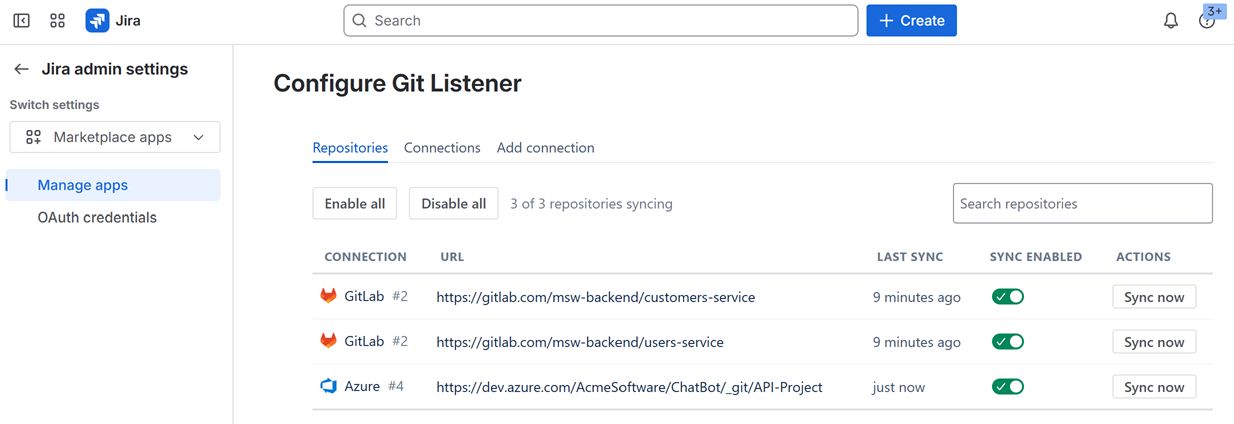
Git Listener automatically detects the repositories your account can access and lists them on the configuration page. Choose which repositories to link, and see when each was last checked for new data. If you need to update a token or change the user who grants OAuth permissions, return to the configuration page and click Re-configure integration.
Use scoped, least-privilege tokens. Git Listener reads metadata only and never clones your code. See the security overview.
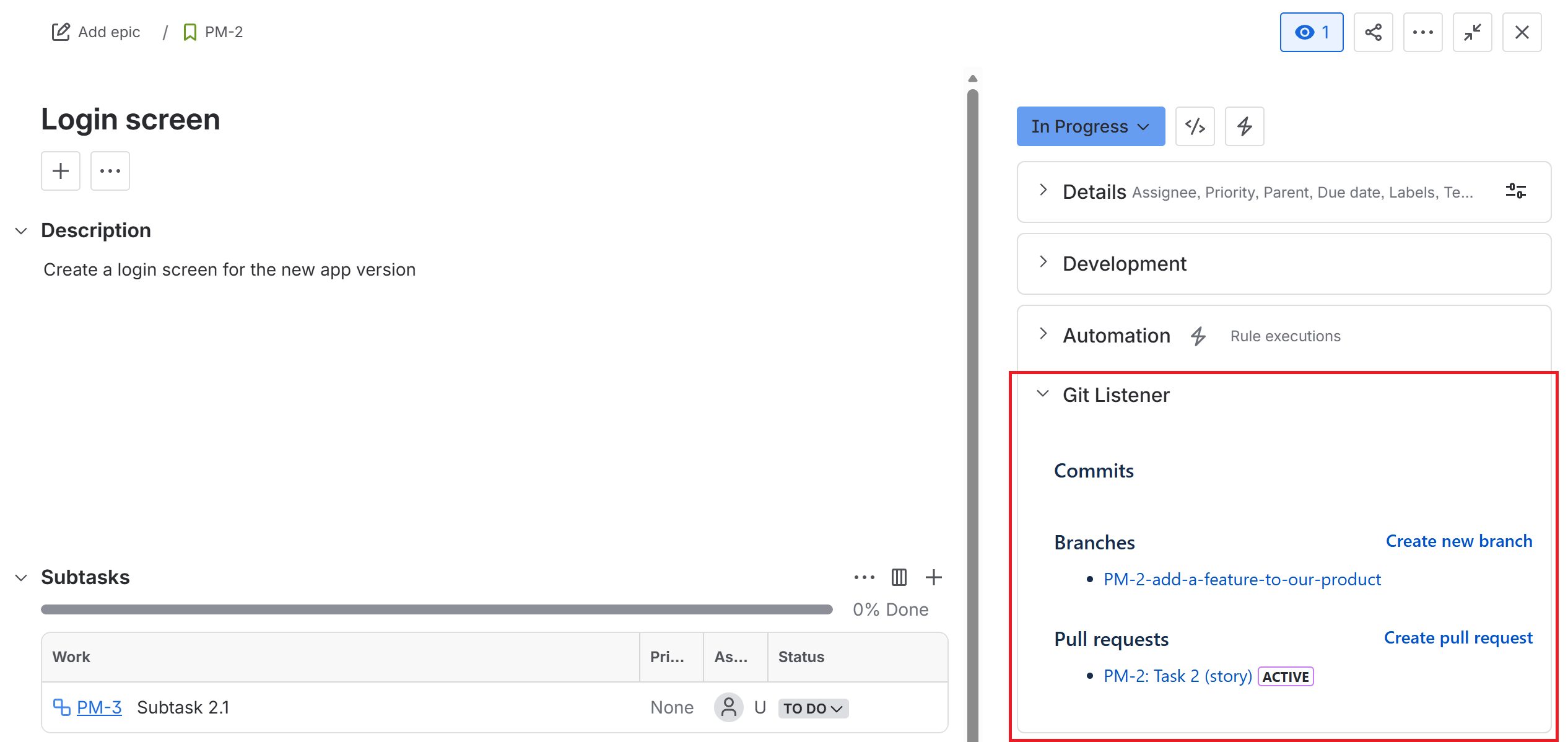
Once configured, open any issue in your Jira project and you'll see the Git panel on the right. It shows all commits, branches and pull requests linked to the issue, and lets you create new branches and pull requests in a click.
Linking is done via issue keys (e.g. PROJ-123) — include the issue key in commit messages, branch names and pull-request titles so Git Listener can match them.
Have a question or need a hand? Reach out via our feedback form and we'll be happy to help.
Pick the platform you work in — every plan includes a free trial on the marketplace.

 Azure
Azure AWS
AWS GitLab