

Setup & usage guide
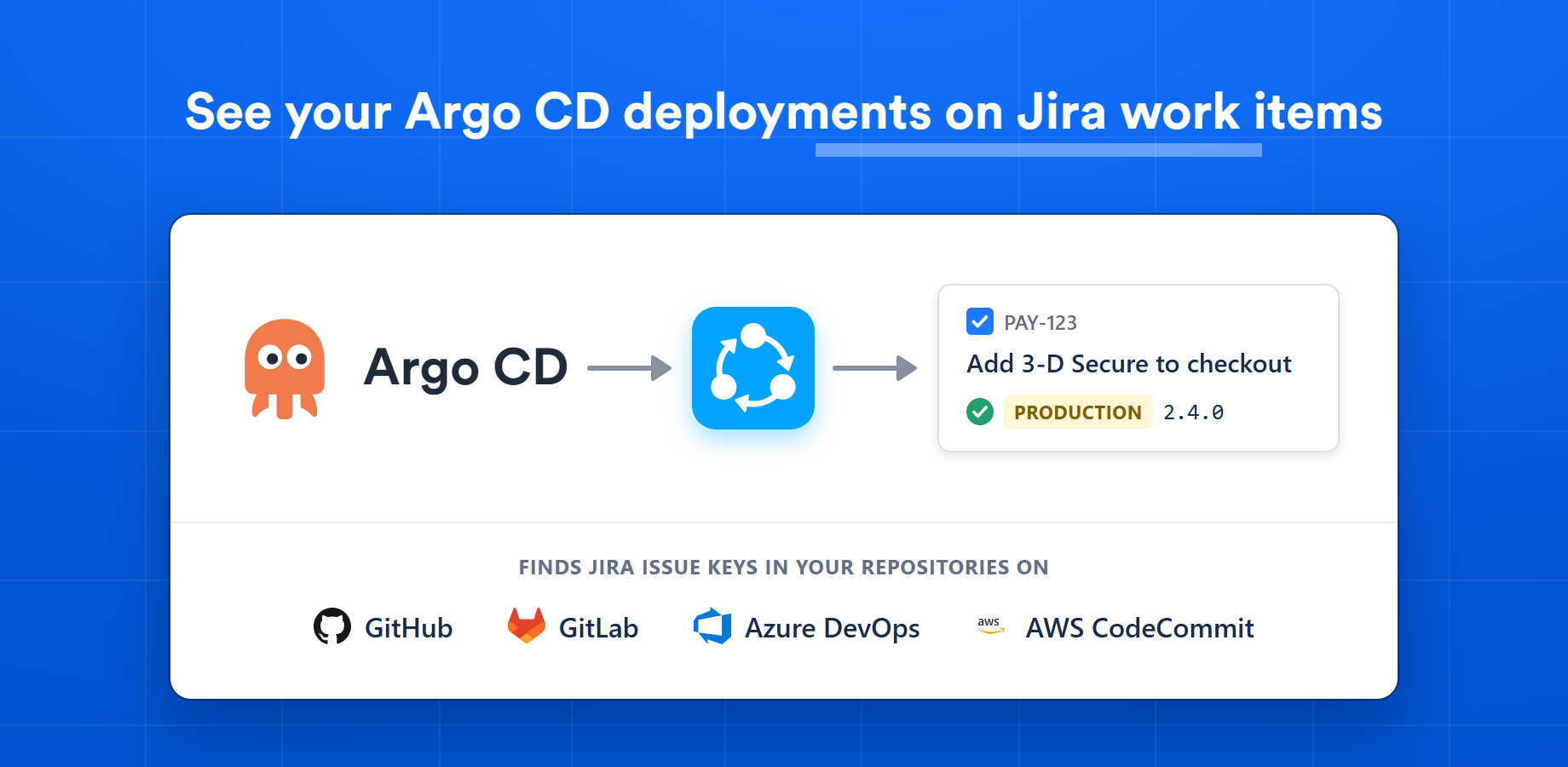
Argo CD Listener publishes your Argo CD deployments to Jira. Each time Argo CD finishes syncing an application to a new revision, it sends an event to Argo CD Listener, which finds the Jira issues included in that deployment and adds the deployment to each of them, with its environment, version and status.
Argo CD Listener never connects to Argo CD. Argo CD pushes the events, so it can stay on a private network.
api.magesoftware.com. The controller is part of the standard installation since Argo CD 2.3; an installation managed by the Argo CD Operator may need it turned on.argocd-notifications-cm ConfigMap.Argo CD Listener is available for Jira Cloud. Sign in to your Jira account, find Argo CD Listener among the Mage Software apps on the Atlassian Marketplace, and click Install.
After installation, open your organization's app management page, select your Atlassian site and open the Connected apps section. Find Argo CD Listener in the list, click the three-dot menu on the right and choose Configure. The first visit opens a setup wizard with four steps; you can leave it at any point and continue later.
An Argo CD instance is the Argo CD installation whose deployments you want in Jira.
The wizard shows a webhook URL and an Argo CD notifications config generated for your site. Copy the config and merge it into the argocd-notifications-cm ConfigMap in the namespace where Argo CD runs:
kubectl -n argocd edit configmap argocd-notifications-cmThe config adds four keys under data:
data:
  # Where events are sent. The URL is generated for your site.
  service.webhook.jira-deployments: |
    url: https://api.magesoftware.com/argocd/webhooks/...
  # What is sent: the application, what it synced and its images.
  template.jira-deployed: |
    ...
  # When: once for each new revision an application has synced
  # successfully, as soon as the application is healthy.
  trigger.on-deployed: |
    ...
  # Which applications send it: all of them.
  subscriptions: |
    - recipients: [jira-deployments]
      triggers: [on-deployed]
Always copy the config from the wizard; the example above only shows its shape. If your ConfigMap already has a subscriptions key, add the new subscription to that list and keep the ones you have.
The webhook URL is the only credential Argo CD needs, and anyone who has it can report deployments for your site. Treat it like a secret.
When the config is first applied, Argo CD reports the current deployment of every healthy application. From then on it sends one event each time an application syncs a new revision. Re-syncing the same revision sends nothing.
This step tells Argo CD Listener how to find the Jira issues included in a deployment. The choice applies to every application of the Argo CD instance. Choose the setup that matches how your deployment process identifies the code being deployed.
| Deployment setup | Choose it when |
|---|---|
| Jira issue keys in GitOps commits | The commits that change your Argo CD applications, such as version bumps and promotions, carry Jira issue keys in their messages. Nothing else is needed. |
| Application version in GitOps | A version in the GitOps repository identifies a Git tag or commit in the application's repository. |
| Other deployment information | An image tag, an Application annotation or a field your pipeline writes identifies the application code, or lists the Jira issue keys directly. |
For the last two setups, say where Argo CD Listener reads the value. Application version in GitOps offers the two Chart.yaml fields, the values file and a custom file. Other deployment information offers the image tag, an annotation and a custom file. Files are read from the GitOps repository at exactly the revision Argo CD synced.
| Source | What is read |
|---|---|
Chart.yaml › appVersion | Helm's field for the version of the application being deployed. |
Chart.yaml › version | The chart's own version. Only useful when the chart is versioned together with the application. |
values.yaml › image.tag | The image tag in the application's Helm values. |
| Custom file and key | Another YAML file in the application's folder, such as an environment-specific values file. The key is a dotted path, for example app.commit or images[0].tag. |
| Container image tag | The tag of the image Argo CD deployed, for example ghcr.io/acme/payments:7f3a91c. Taken from the event; no repository is read. |
| Application annotation | An annotation your pipeline sets on the Argo CD Application, for example acme.io/jira-issues: PAY-123 PAY-127. Taken from the event. |
v{version} when the file says 2.4.0 and the tag is v2.4.0.For a tag or a commit, also choose which commits are inspected for Jira issue keys: all commits since the previous deployment of that application, which covers every change that shipped, or only the deployed commit. On AWS CodeCommit only the deployed commit can be inspected.
As a fallback, Argo CD Listener can use the message of the GitOps commit when no Jira issue keys are found elsewhere. The panel at the bottom of the step reads your choices back as the steps Argo CD Listener will take for each deployment.
Jira issue keys look like PAY-123. Include them in commit messages so the issues can be found.
Argo CD Listener reads two kinds of repositories. Which of them are needed depends on the Jira issue linking you chose, and the wizard marks each as required, recommended, optional or not needed.
A connection holds the credentials for one Git host or organization. Create one per organization and reuse it for both kinds of repositories when they live in the same place. Argo CD Listener only reads from your repositories. Each provider asks for:
| Provider | Credentials |
|---|---|
| GitHub | A personal access token with the repo, read:org, read:user and read:project scopes. |
| GitLab | A personal access token with the read_api, read_user and read_repository scopes. Self-managed GitLab is supported. |
| Azure DevOps | A personal access token with Code (read) permission, scoped to the organization you name. Azure DevOps Server is supported. |
| AWS CodeCommit | The access key of an IAM user with the AWSCodeCommitReadOnly policy. |
argocd/, clusters/prod/apps. Use / for the whole repository.An environment rule is a list of patterns with * as the wildcard, matched against the application's name, path, destination namespace and manifest path. The first matching rule wins. The default rules recognise the usual words, so payments-prod, apps/staging/payments and the namespace dev are mapped without any change. An application that no rule matches is shown as unmapped.
Choose whether Argo CD Listener may read everything the connection can access or only the repositories you select. Each application is later matched to one of them.
Argo CD Listener scans the manifests folders and lists the Argo CD applications it found, each with its environment type and, when the linking needs one, the application repository suggested for it by name: payments-production is matched to acme/payments-service. Correct any match that is wrong, tick the applications whose deployments should be published to Jira, and finish setup.
Once setup is finished, every deployment that includes a Jira issue appears in the Deployments section of that issue's development panel, with the environment, the version, the status and a link back to the application in Argo CD. Jira's Deployments feature is turned on for each project in its settings; a project that has it also shows the deployments on its Deployments timeline.
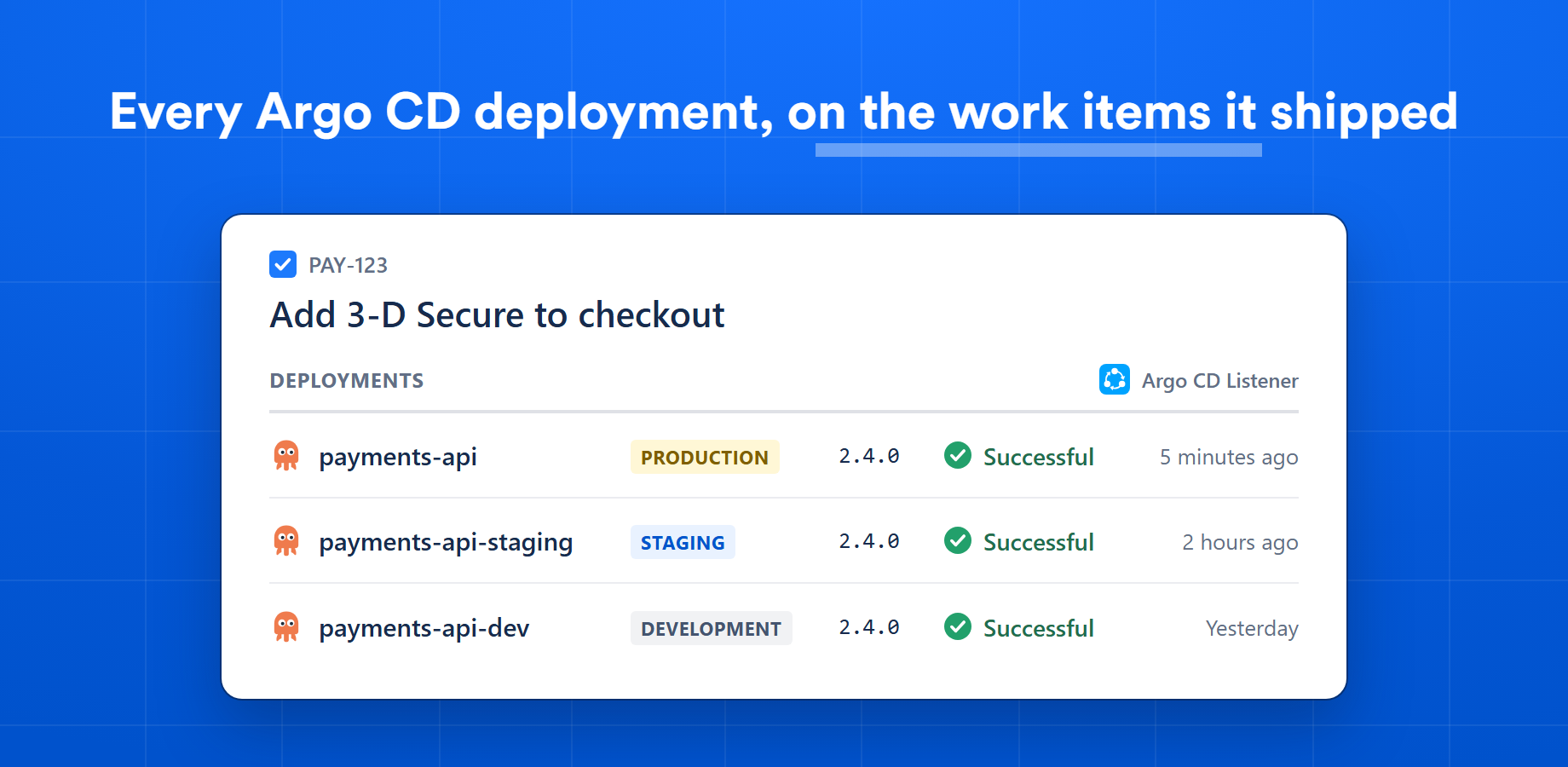
The same version deployed to another environment is a separate deployment, so an issue shows each environment it has reached.
The configuration page now shows five tabs.
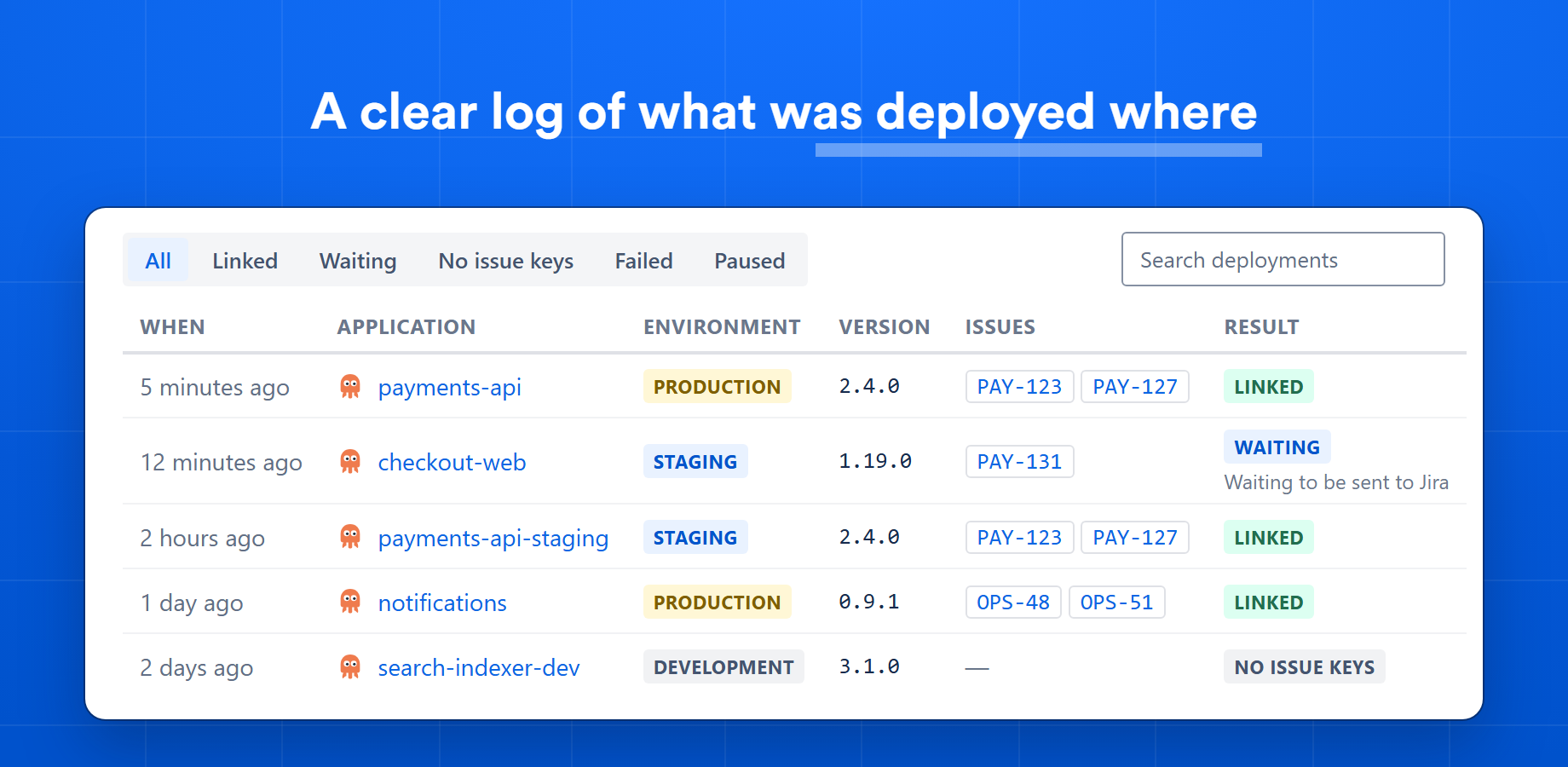
latest, is not reported.argocd-notifications-cm, and that an existing subscriptions list was extended, not replaced.api.magesoftware.com over HTTPS.on-deployed trigger and the jira-deployments webhook:kubectl -n argocd logs deployment/argocd-notifications-controllerThe Result column of the Deployments tab says what became of each deployment, with a reason when it did not reach Jira.
| Result | What it means |
|---|---|
| Linked | The deployment is in Jira, on the issues listed beside it. |
| Waiting | The Jira issues of the deployment are known and it has not been sent to Jira yet. A waiting deployment is tried again. |
| No issue keys | No Jira issue key has been found for the deployment. The reason says what is missing, for example that the Git tag was not found in the application's repository or that no Chart.yaml with an appVersion was found. Without a reason, check that your commit messages contain Jira issue keys. |
| Failed | Jira did not accept the deployment. It is not sent again; the reason shows Jira's answer. |
| Paused | Publishing is off for the application, or paused for the whole site on the Settings tab. |
No environment rule matched its name, path or namespace, so its deployments are published without an environment type. Set the type with Update application mappings on the Applications tab. To have applications like it mapped when they are added, edit the environment rules of the GitOps repository on the Git connections tab.
The instance has no Argo CD URL, and Argo CD reported no address of its own. Add the URL on the Argo CD instances tab; deployments reported from then on link to the application in Argo CD.
Have a question about your Argo CD setup or need a hand? Reach out via our feedback form and we'll be happy to help.
Pick the platform you work in. Every Git Listener plugin includes a free trial on its marketplace.


 Azure
 AWS
 GitLab