
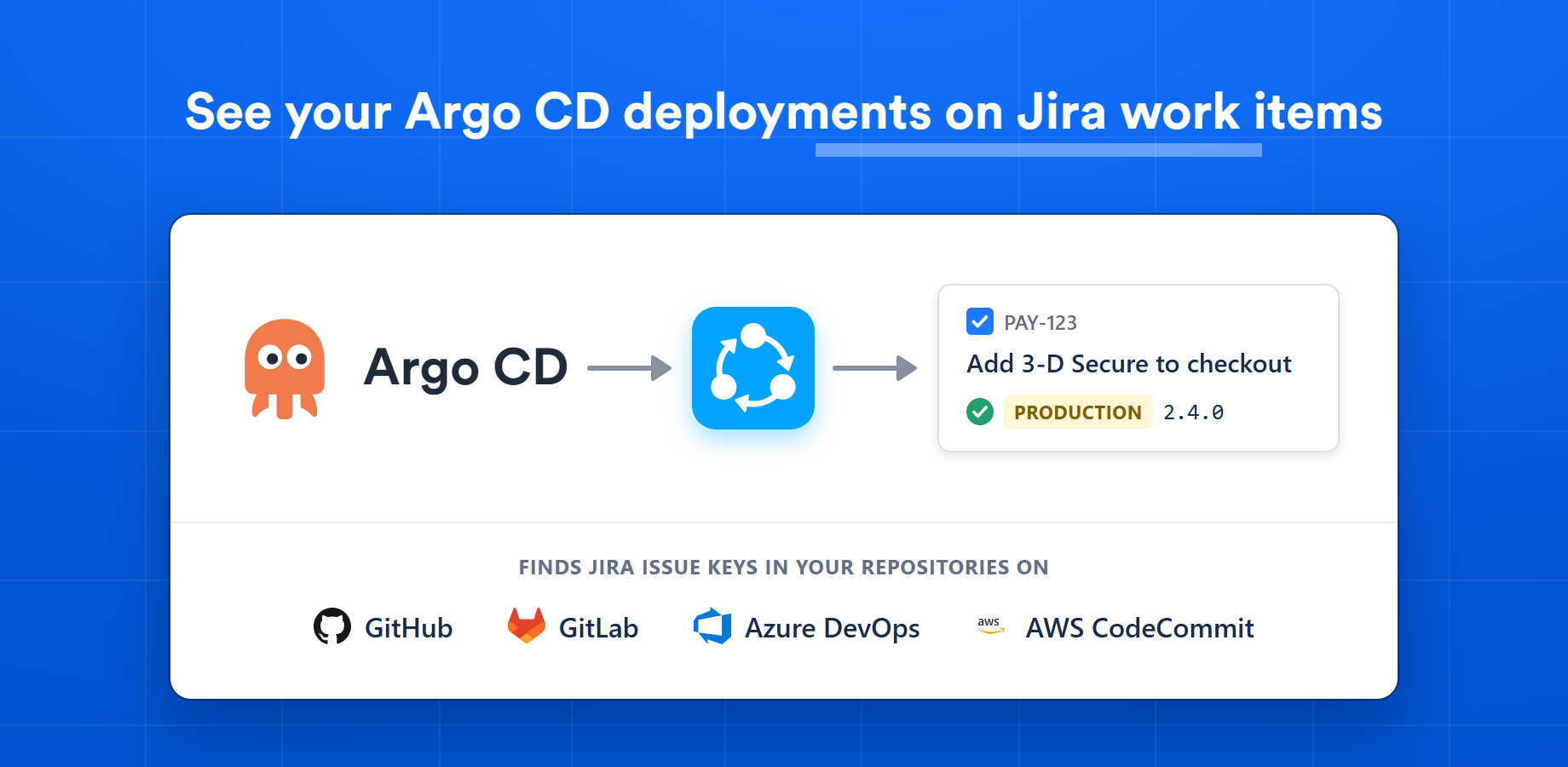
Argo CD Listener publishes each deployment to the Jira issues it contains, with the environment, version and status. Product managers, testers and support see what reached production without asking the team or opening Argo CD. It is made for teams that deploy to Kubernetes with Argo CD, and it reports deployments only.
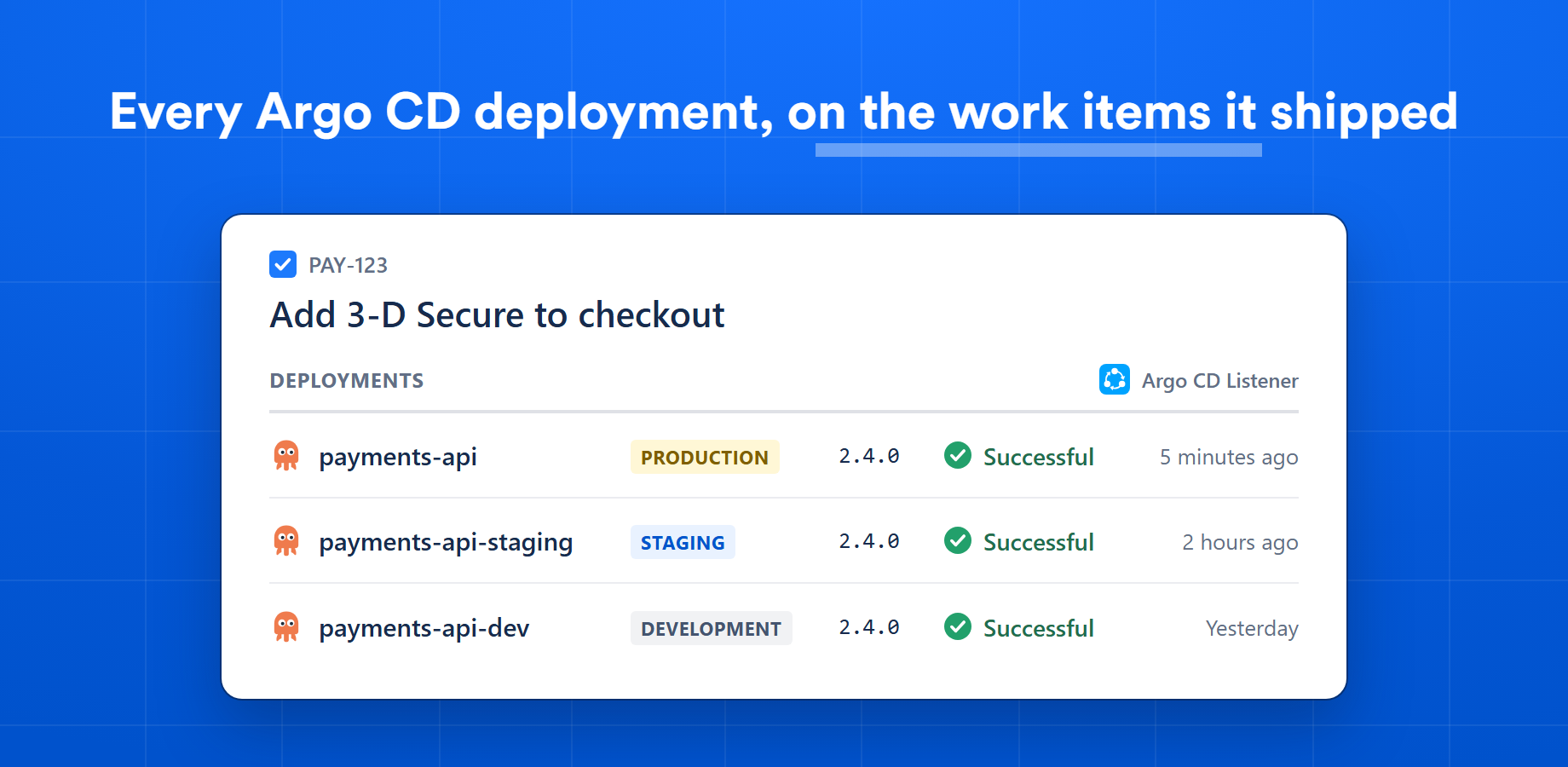
Each Jira issue lists the environments it has reached, with the version, status and time of every deployment and a link back to Argo CD. Nobody has to ask whether a fix is in production.
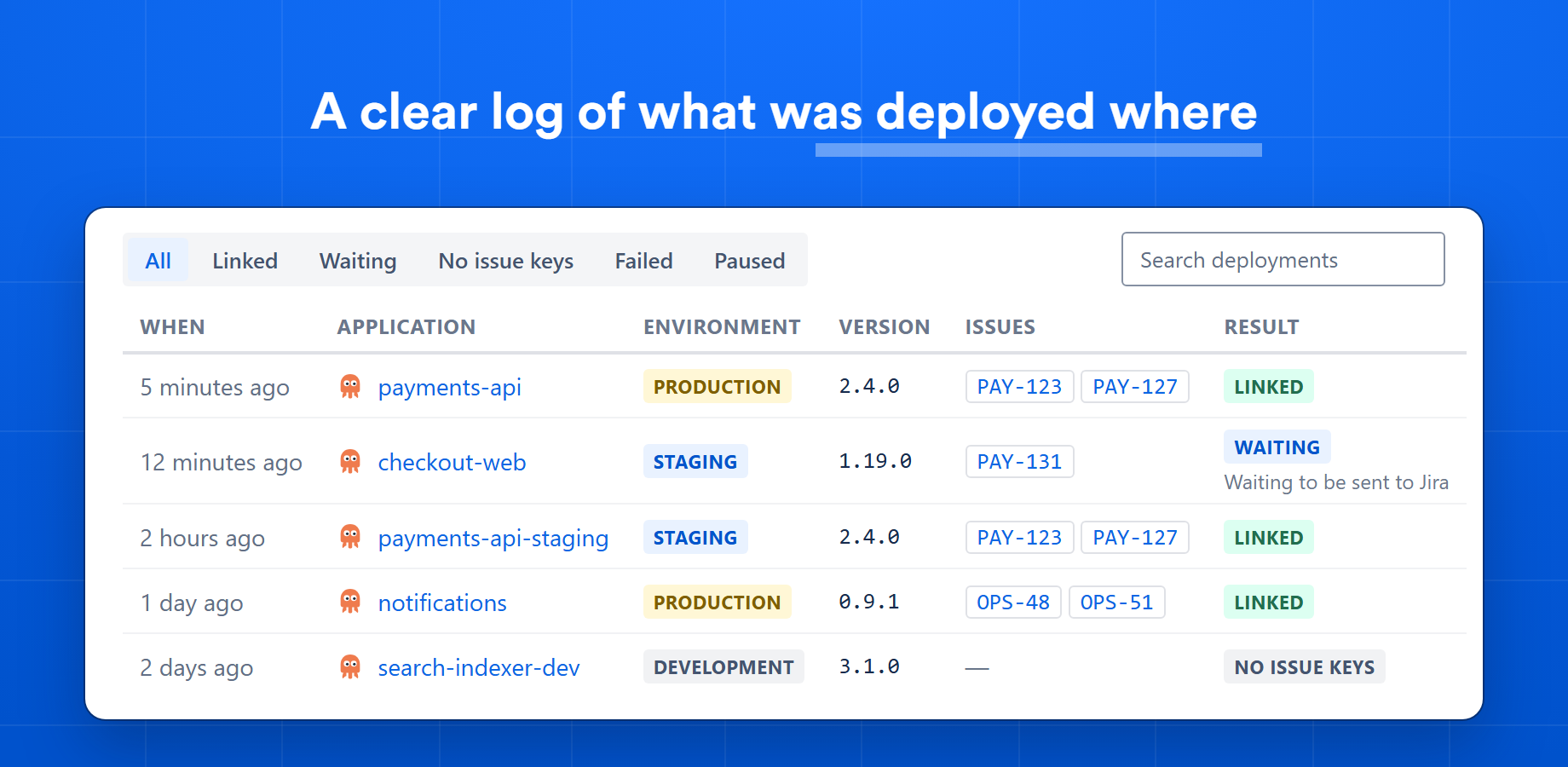
The Deployments tab lists the last 30 days of deployments across all your applications, each with its environment, version and linked issues. Filter by result to find the ones that did not reach Jira, and why.
Argo CD sends a webhook after each successful sync. Argo CD Listener never calls Argo CD, so it can stay on a private network.
Jira issue keys in GitOps commits, a version in Chart.yaml or a values file, an image tag or an Application annotation.
Reads every commit since the previous deployment, so each issue that shipped is linked, not only the last one.
Environment rules turn application names, paths and namespaces into Jira's production, staging, testing and development.
A four-step wizard generates the Argo CD notifications config and imports your applications from their manifests.
Turn publishing on or off per application, or pause it for the whole site without losing your setup.
Argo CD Listener only receives the events Argo CD sends, and reads what it needs from Git to find the Jira issues behind a deployment.
Read our security overviewNo. Argo CD's notifications controller sends each event to Argo CD Listener over outbound HTTPS. Argo CD Listener never connects to Argo CD, so your instance can stay on a private network.
No. Argo CD Listener adds deployments to Jira issues and nothing else. It reads your Git repositories only to find which issues a deployment contains. To see commits, branches and pull requests on your issues, use one of our Git Listener plugins. A repository can be connected to one of the two at a time.
You choose how during setup. Argo CD Listener can read Jira issue keys from the GitOps commit that Argo CD synced, or read a version from Chart.yaml, a values file, the image tag or an Application annotation and look it up as a Git tag or commit in the application's repository. It then collects the Jira issue keys from the commits in that release.
GitHub, GitLab, Azure DevOps and AWS CodeCommit, for both GitOps repositories and application repositories. On AWS CodeCommit only the deployed commit is inspected for Jira issue keys, because CodeCommit cannot list the commits between two deployments.
One thing: merge the notifications config that setup generates into the argocd-notifications-cm ConfigMap. It adds a webhook, a message template, a trigger and a subscription. Nothing is installed in the cluster.
No. Argo CD Listener reads commit messages, tags, your Argo CD Application manifests and the version file you name (for example Chart.yaml) through each provider's API. Repositories are never cloned, and your application source is not read.
Yes. An application with several sources is handled like one with a single source. Applications generated by an ApplicationSet have no manifest to import, so they are added when they first deploy.
Argo CD Listener is a Jira Cloud app sold through the Atlassian Marketplace and billed by Atlassian, with a free trial. Contact us if you would like to hear when it is listed or have a question about your setup.
Connect Argo CD to Jira with one webhook and a four-step setup.
Pick the platform you work in. Every Git Listener plugin includes a free trial on its marketplace.

 AWS
 GitLab